
AI coding studio for Android
Build with AI agents.
On your phone.
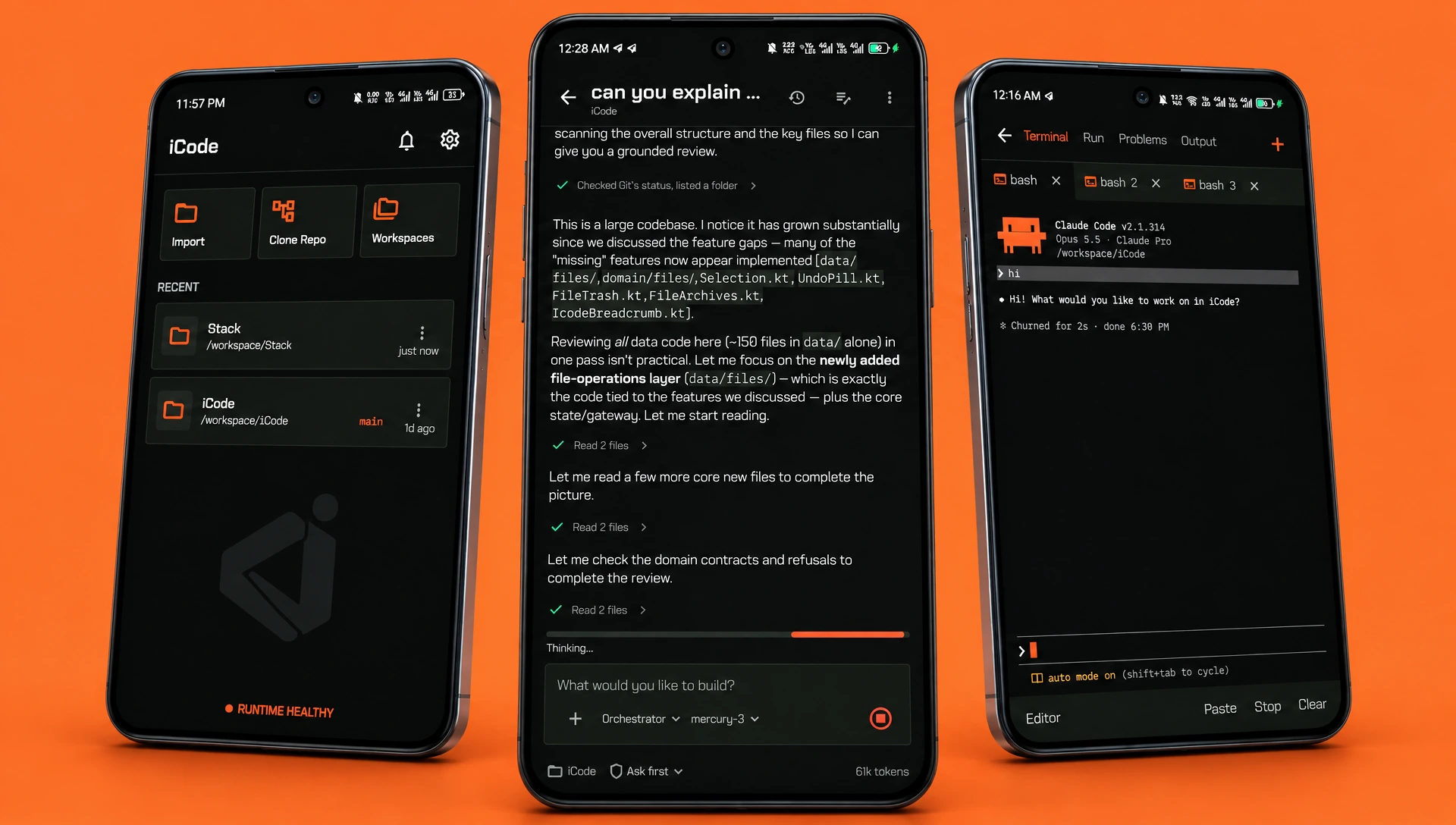
iCode is a real IDE for Android with an AI assistant that plans, edits and commits with your approval — on your own models, inside a real Ubuntu runtime, with Git built in. No account.
Android 11 (API 30)+ · arm64-v8a · SHA-256 c624ef9b8dd2…
- ARM64 Android
- Ubuntu 24.04 runtime
- 30+ languages
- Works offline
- No account
Live in the terminal
Install an agent.
Start building.
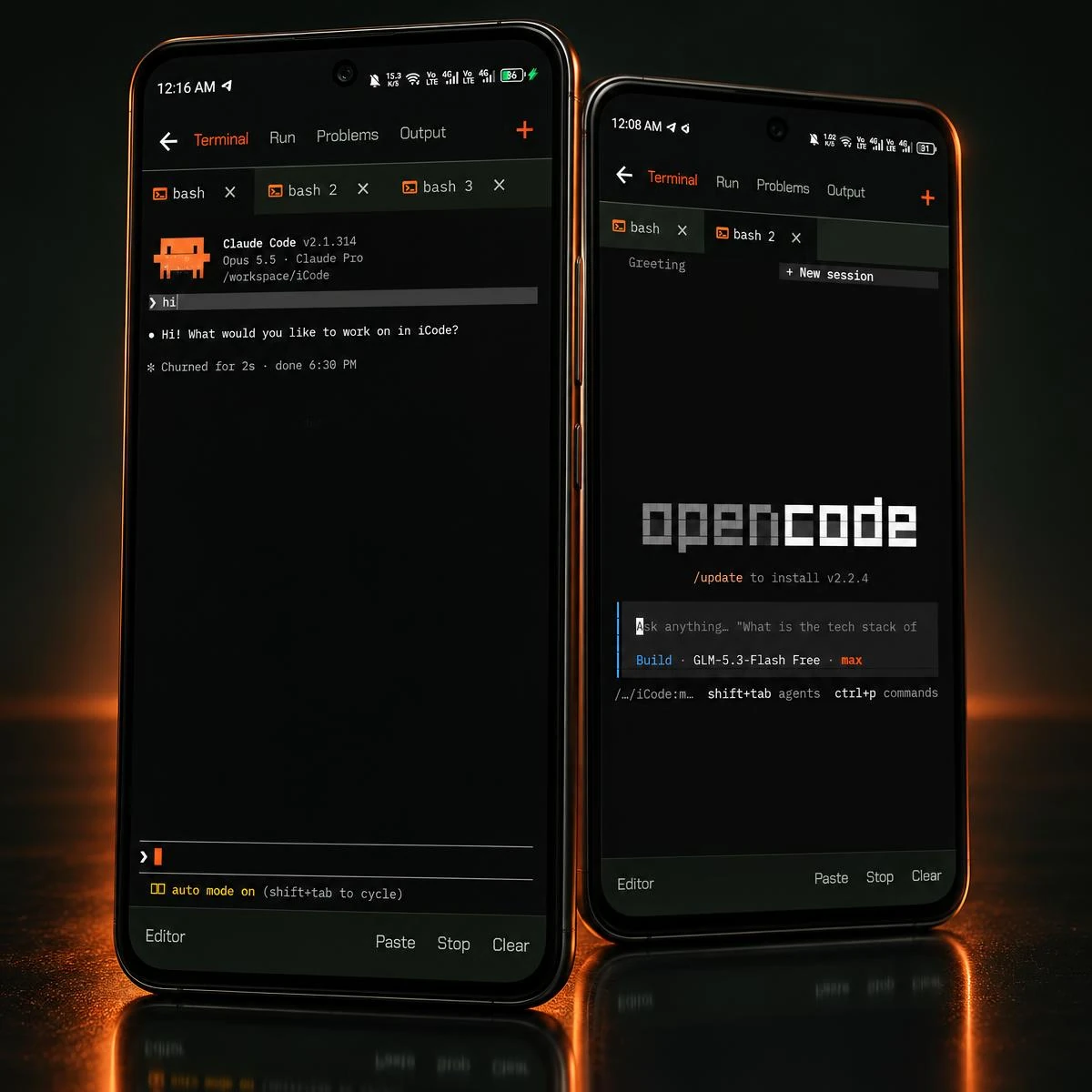
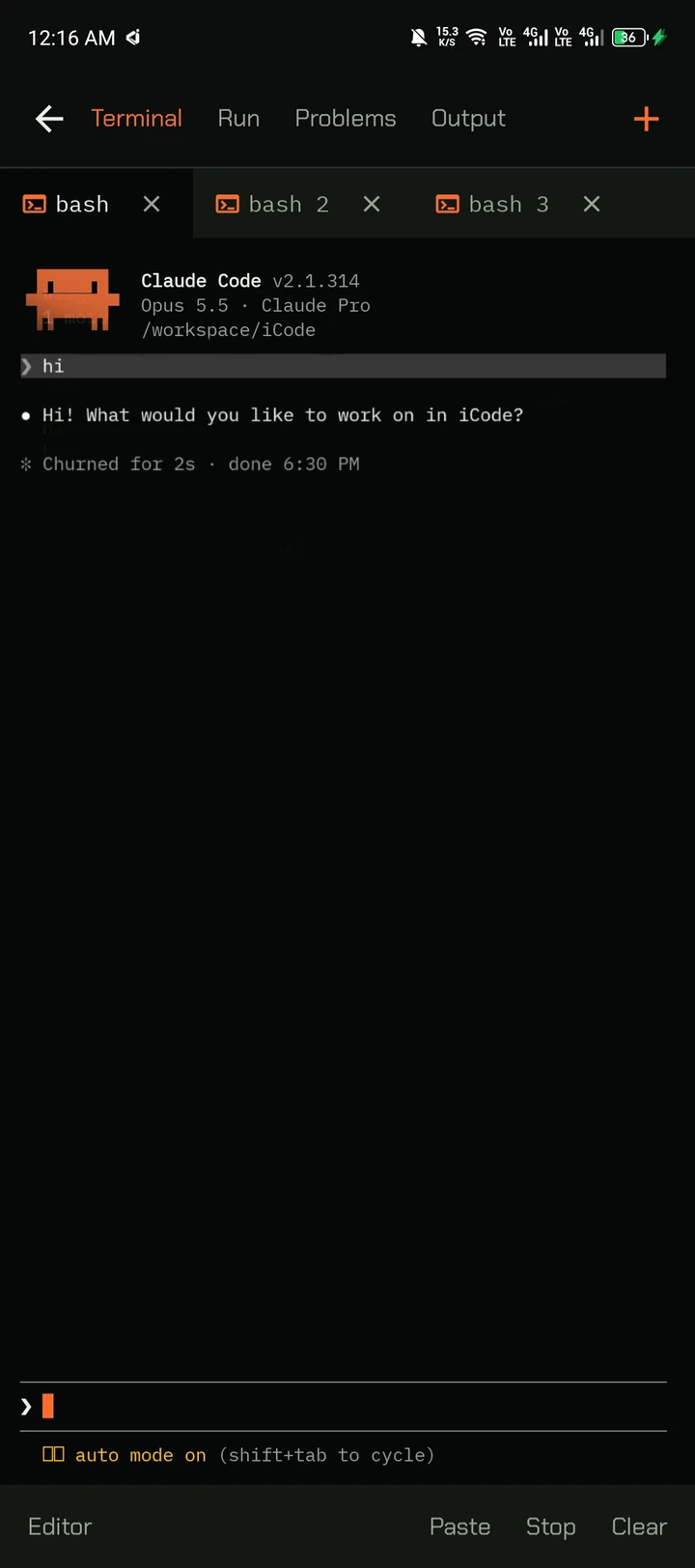
Two commands in iCode's terminal and Claude Code is working in your repo — the same way it would on a Linux laptop.
iCode $
AI assistant
An agent that plans, builds and verifies
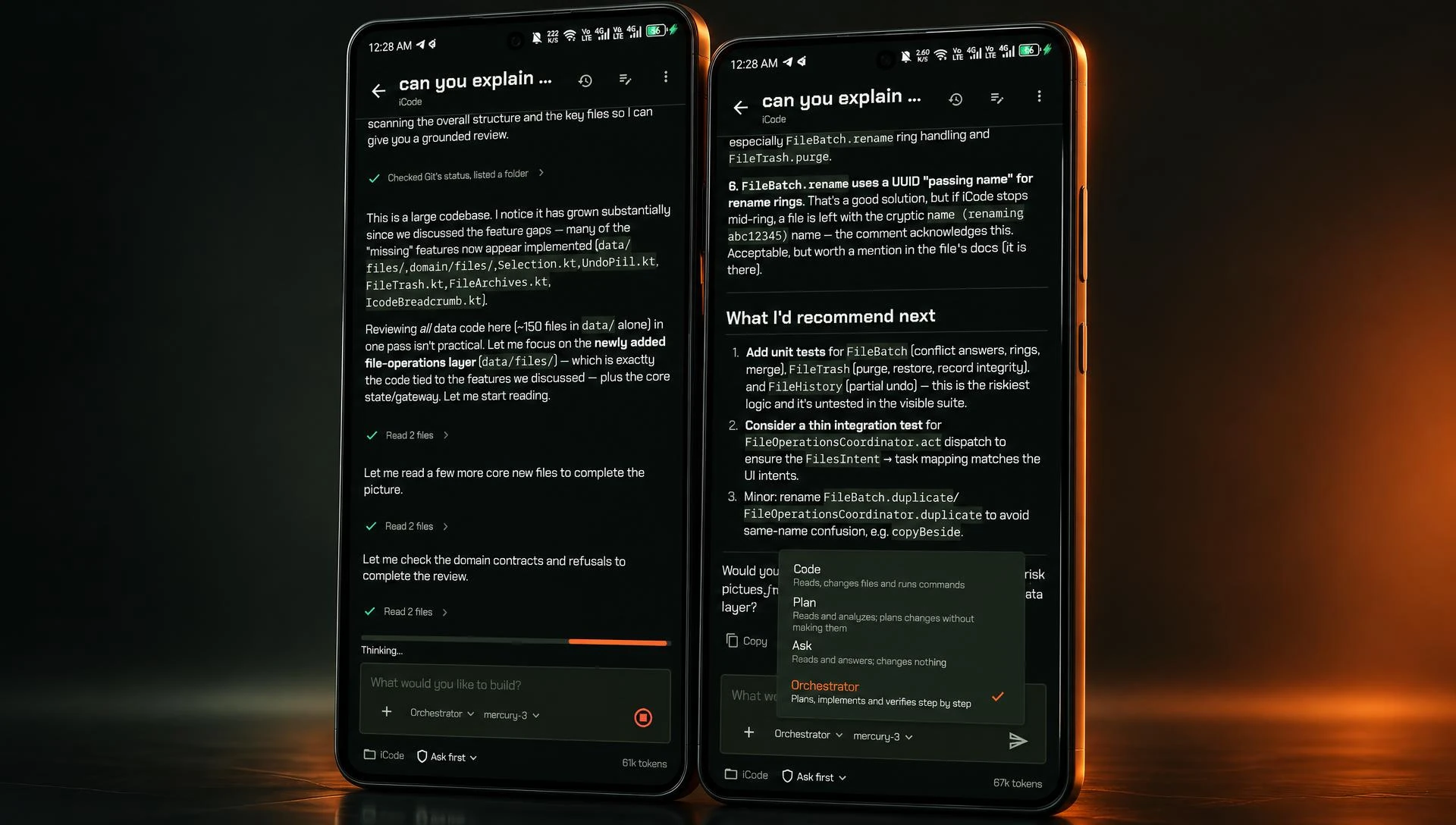
Ask a question, plan a change or let Orchestrator mode implement it step by step. The assistant reads your files, checks Git status and reports what it did — inside the workspace you're already in.
- Code, Plan, Ask and Orchestrator modes
- Reads files and runs tools with visible steps
- Chats saved per workspace, on the phone
You stay in control
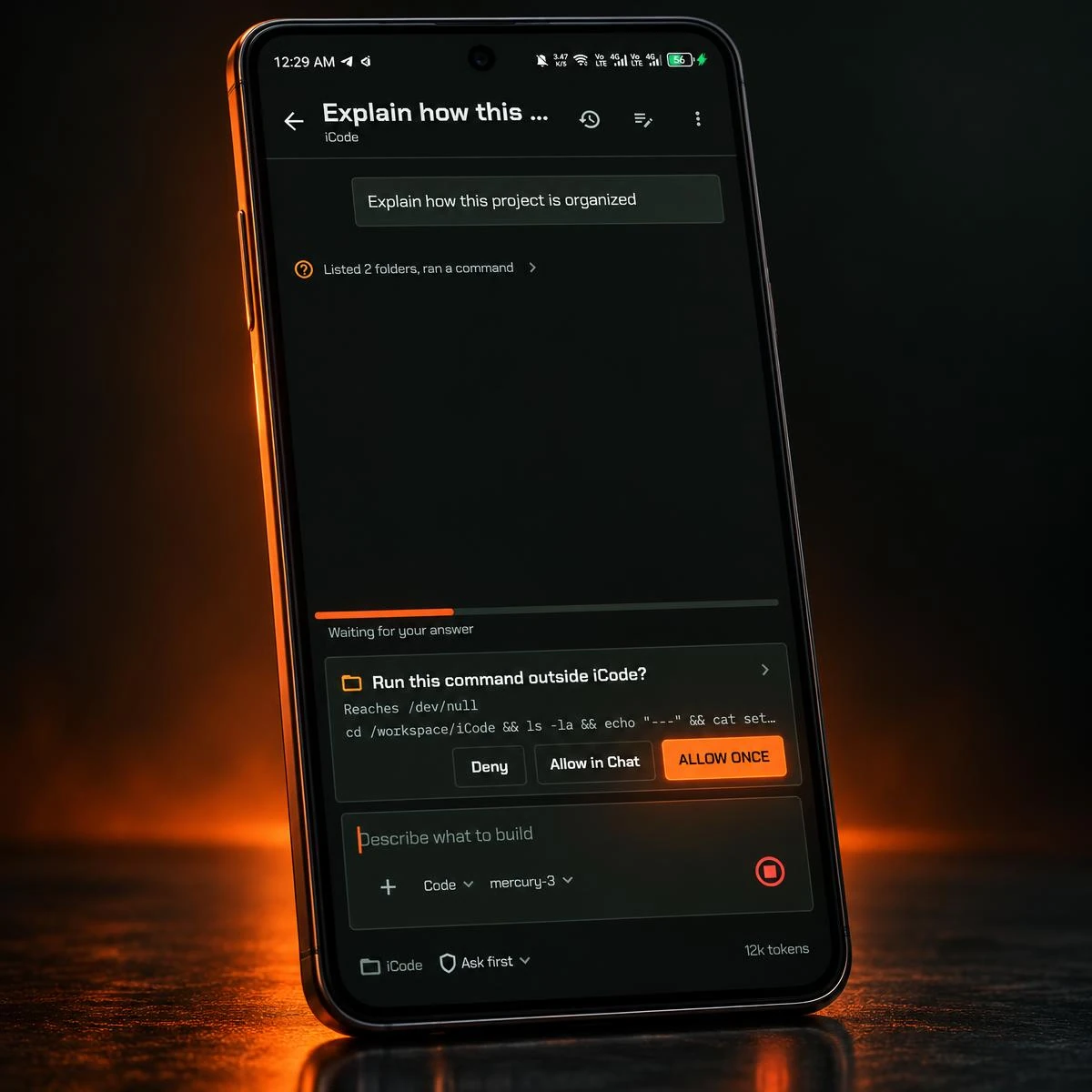
Nothing runs until you say so
When the agent wants to run a command outside iCode, it stops and shows you exactly what it will do. Deny it, allow it once, or allow it for the rest of the chat.
- Deny · Allow in Chat · Allow once
- Ask-first by default
- The full command shown before it runs
Your models, your keys
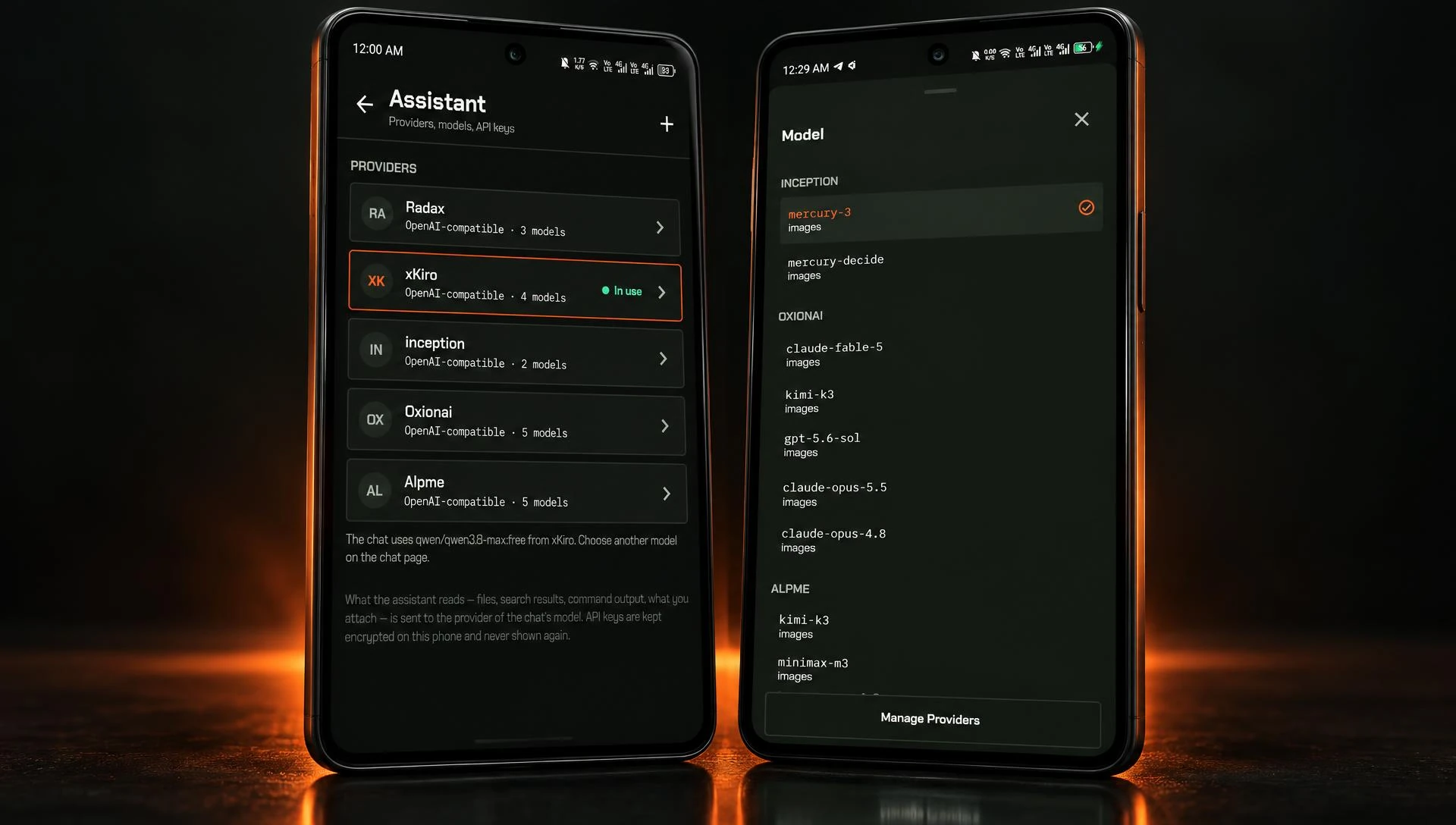
Use the model you trust
Connect OpenAI, Anthropic, Google Gemini, OpenRouter, any OpenAI-compatible server — or Ollama running on the phone itself. Switch models per chat. Keys are encrypted on the device and never shown again.
- OpenAI · Anthropic · Gemini · OpenRouter · Ollama
- Any OpenAI-compatible endpoint
- No middleman: requests go straight to your provider
Terminal agents
Claude Code and opencode, in your pocket
iCode's terminal is real bash on Ubuntu. Install Claude Code, opencode or any CLI agent and run it in its own tab — next to your build, your shell and your run panel.
- Multiple bash sessions in tabs
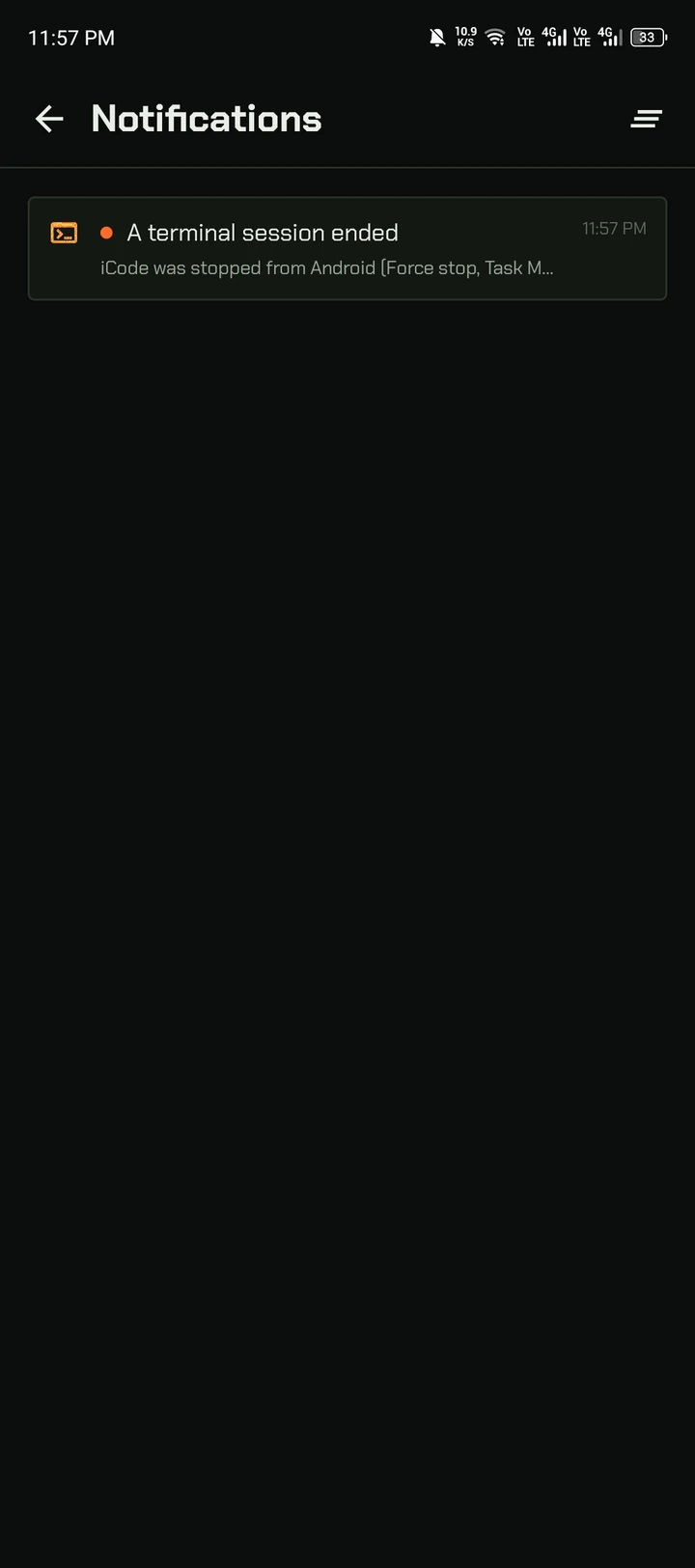
- Sessions keep running in the background
- Alerts when a program asks or a long command ends
Git, plan to push
From changes to a signed commit
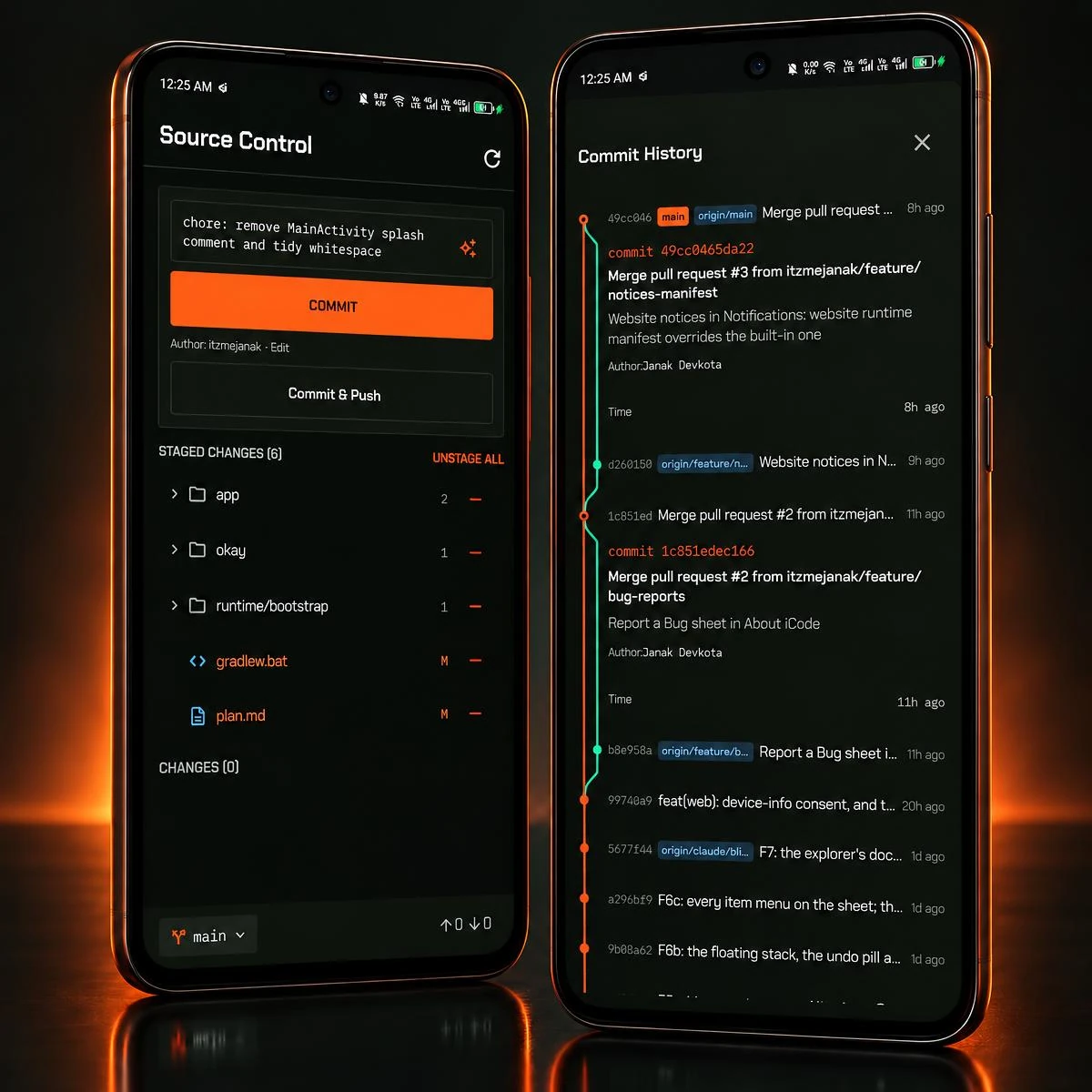
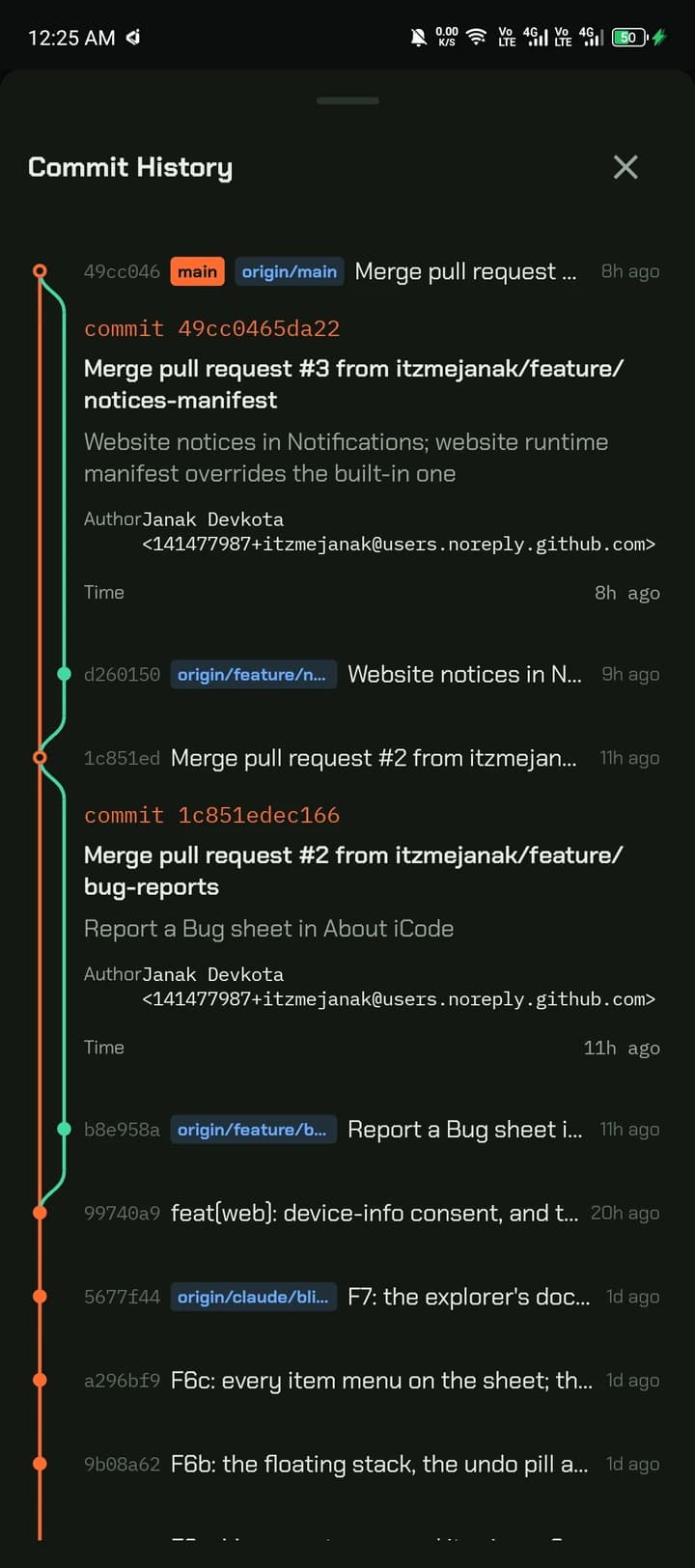
Stage files, let AI draft the commit message, sign it with your GPG key and push — with branch switching and a full commit graph one tap away.
- AI-generated commit messages
- GPG-signed commits, SSH and HTTPS remotes
- Branches, history and status in the explorer
Workspace
A real editor, built for thumbs
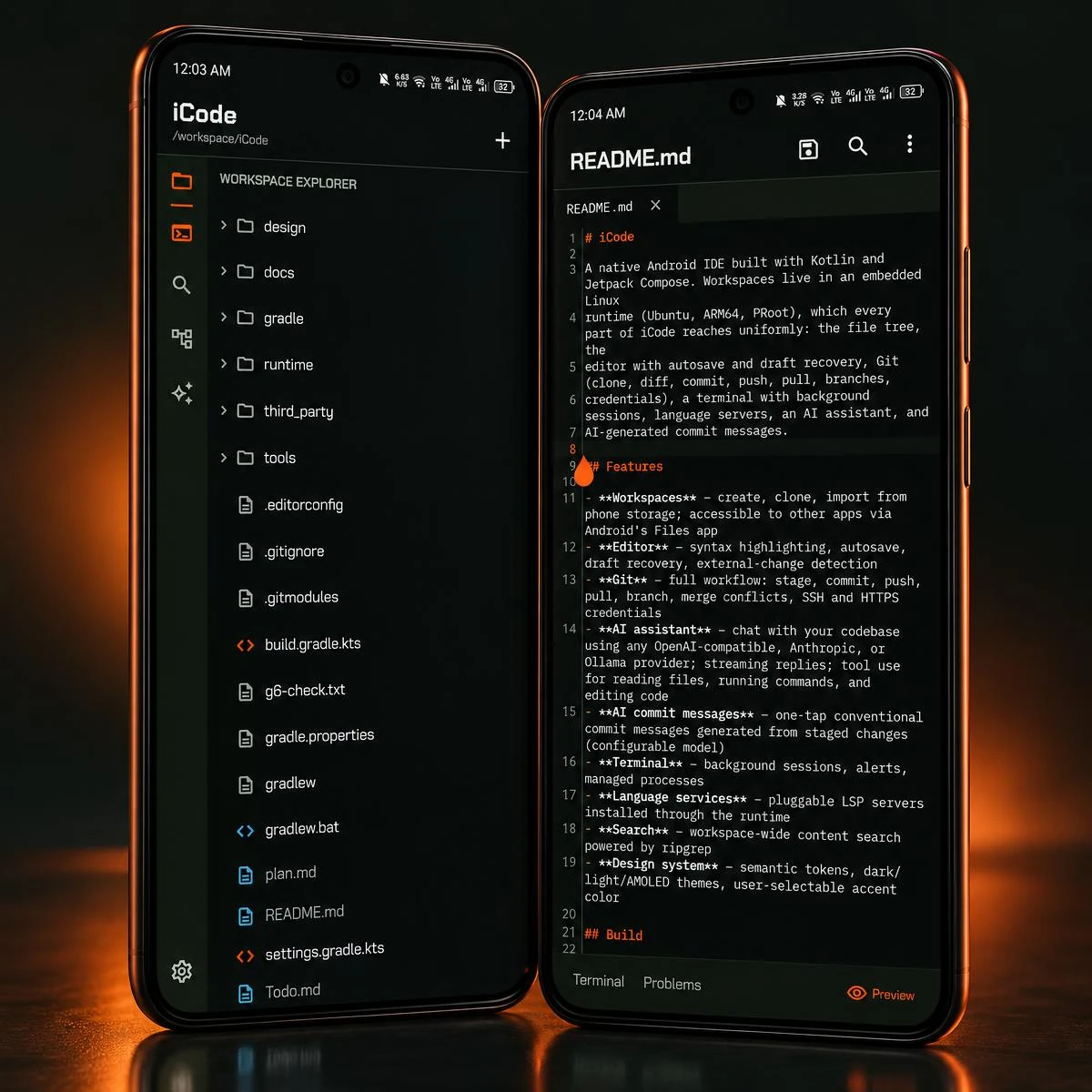
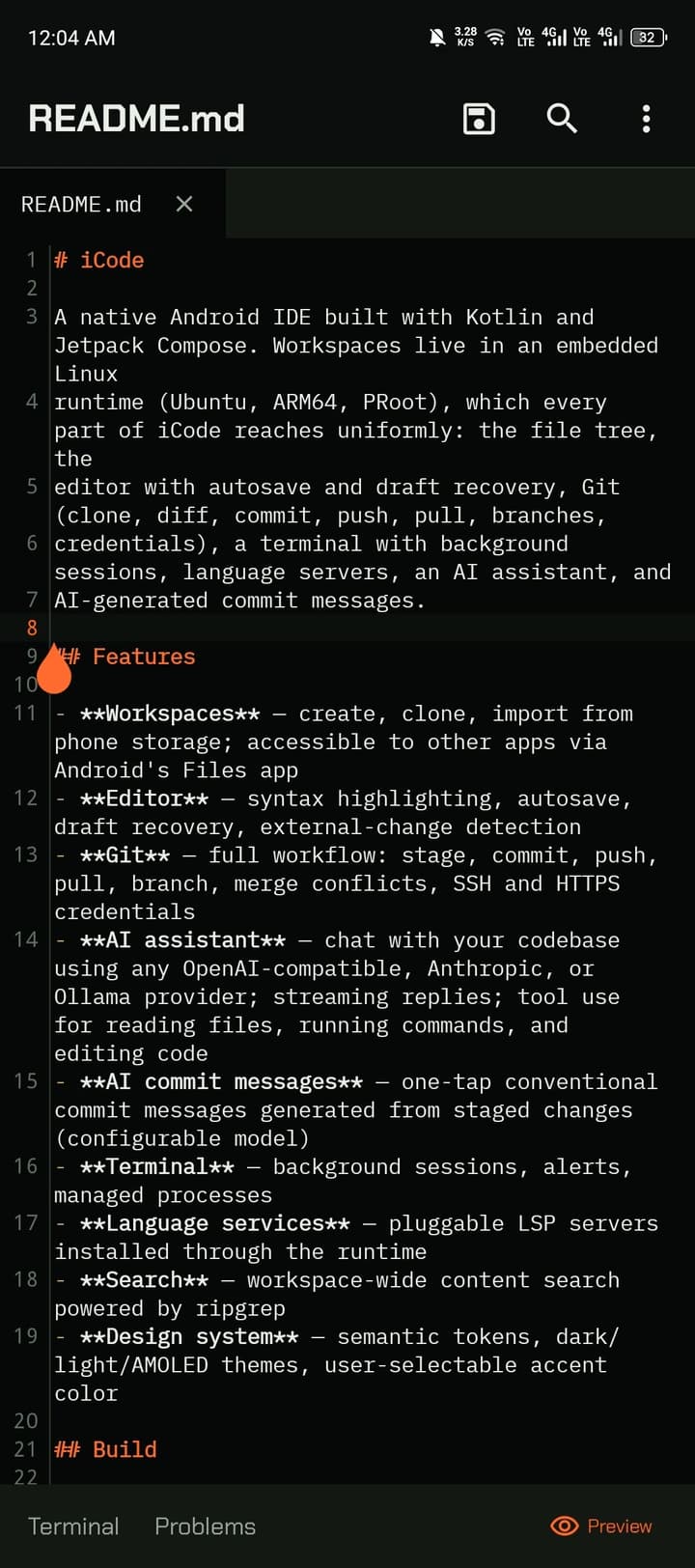
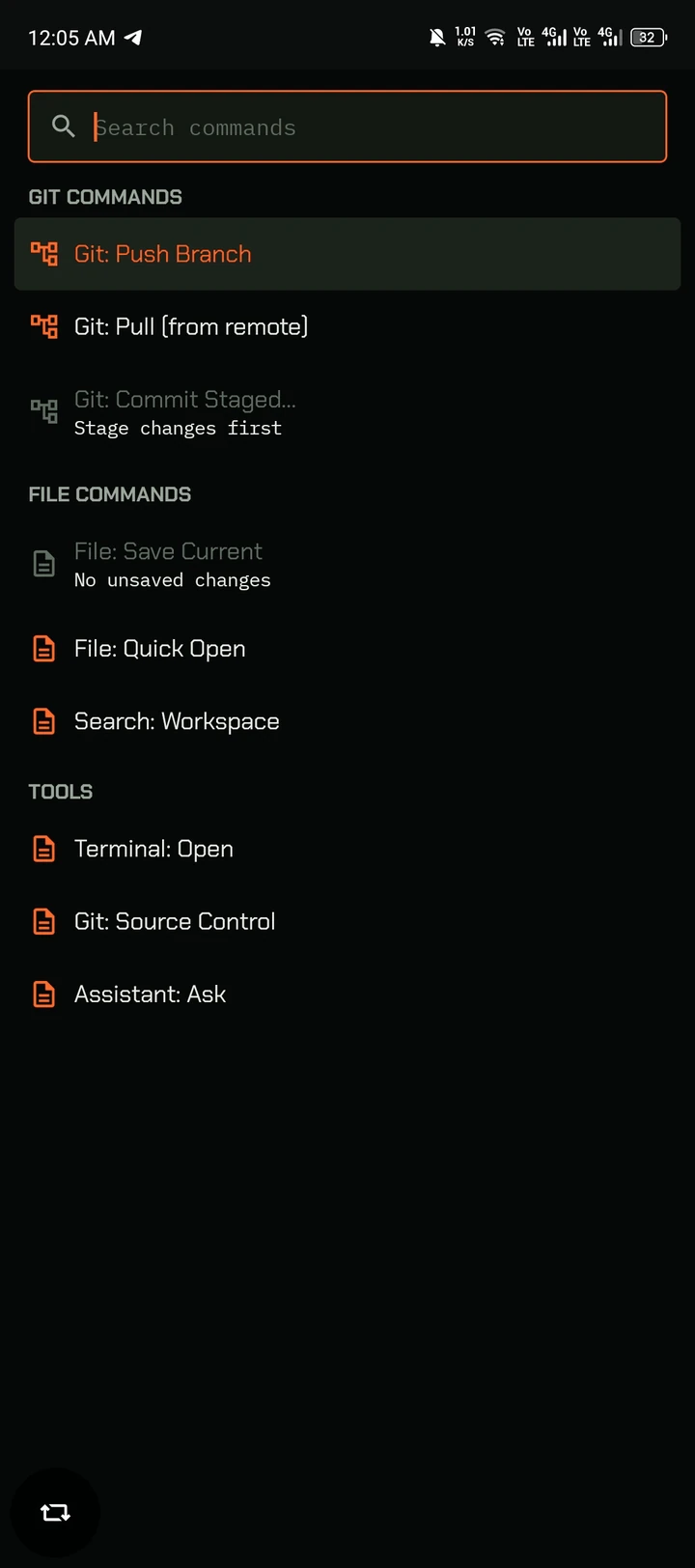
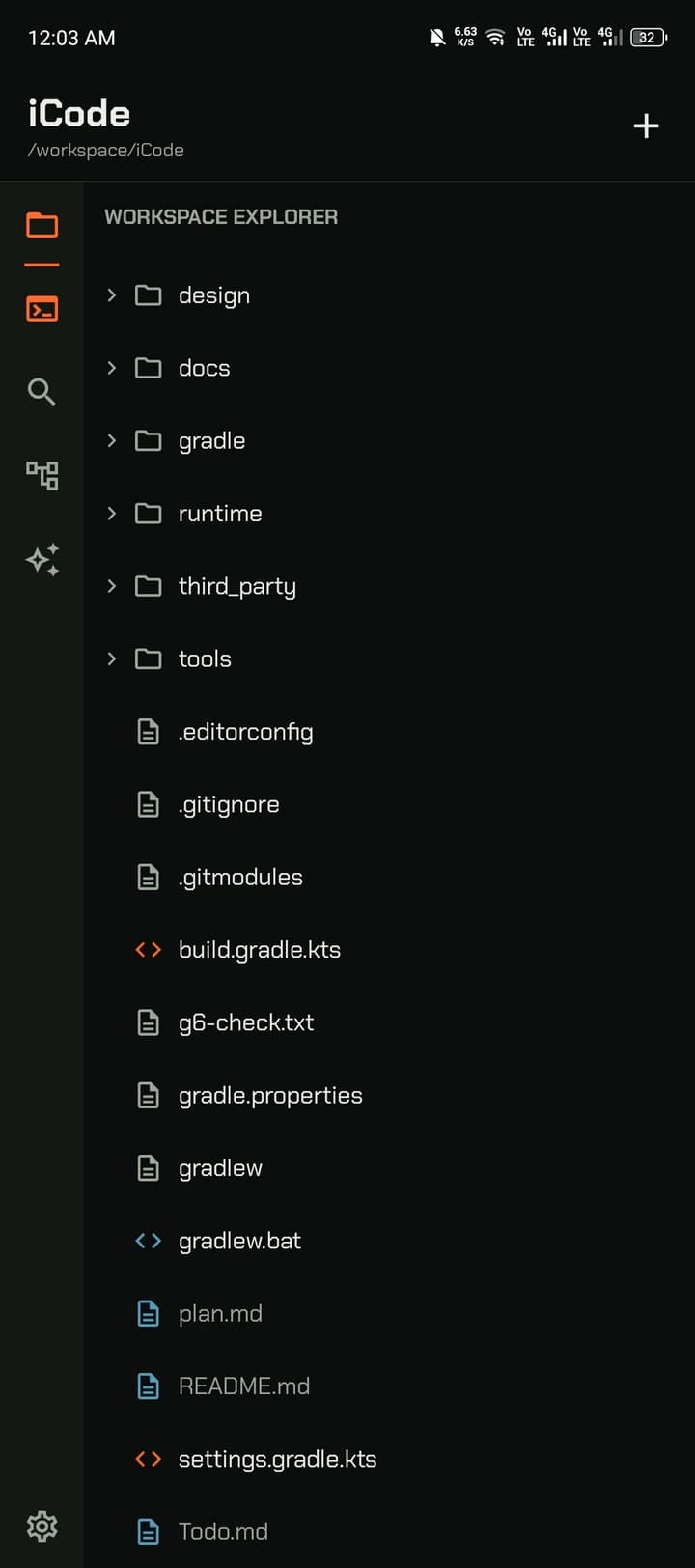
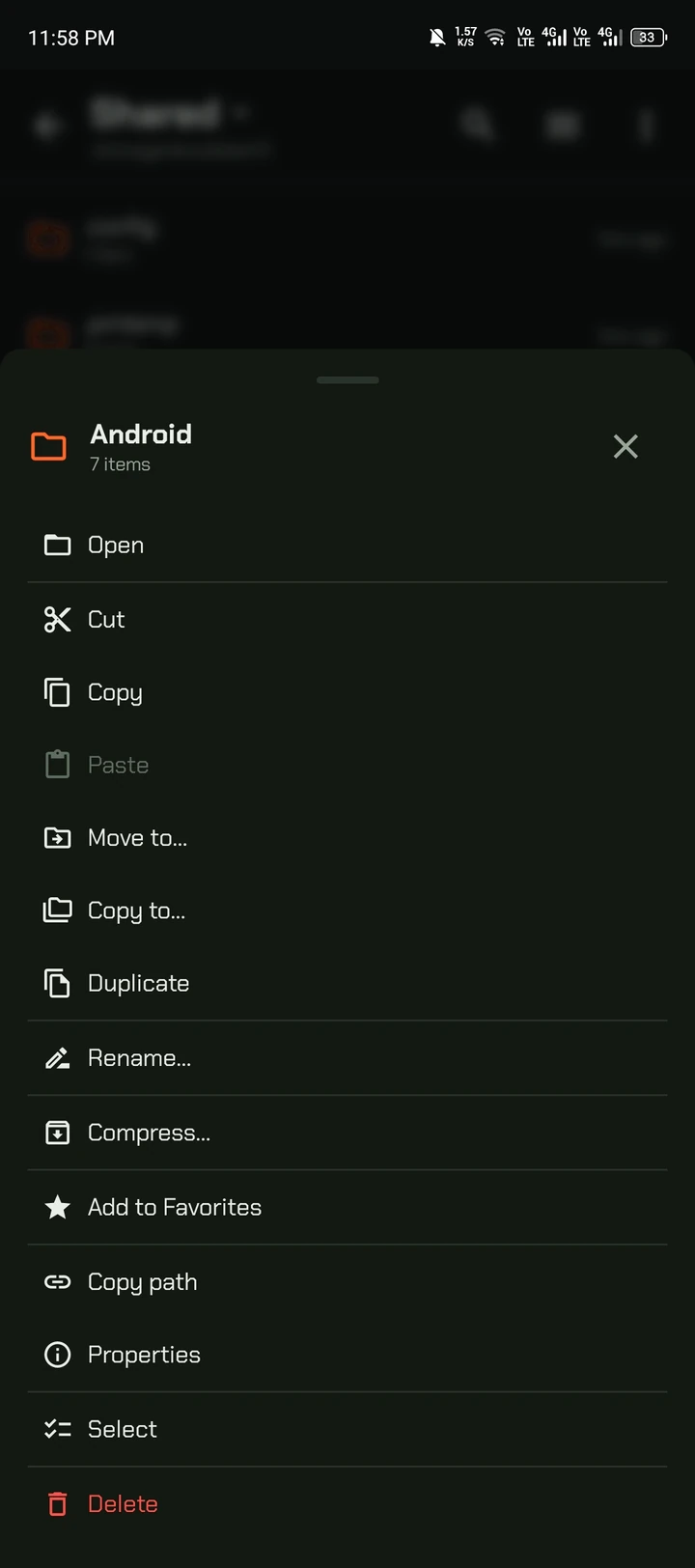
File explorer, tabs, syntax highlighting, Markdown preview, find and replace, quick open and a command palette — with autosave and draft recovery when Android pauses the app.
- Quick open and workspace search
- Command palette for Git, files and tools
- Autosave and draft recovery
Real Linux
Ubuntu on your phone, set up for you
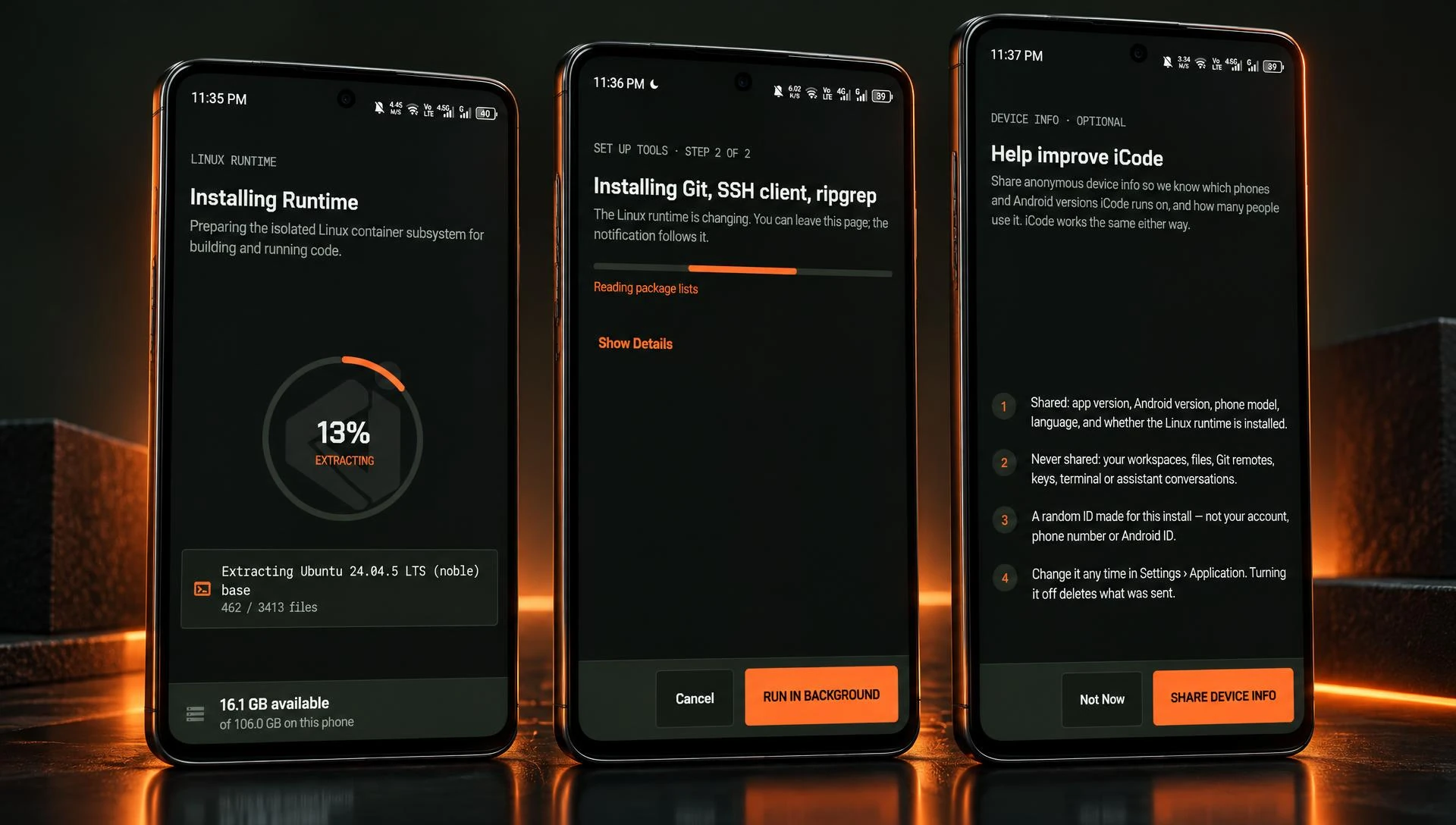
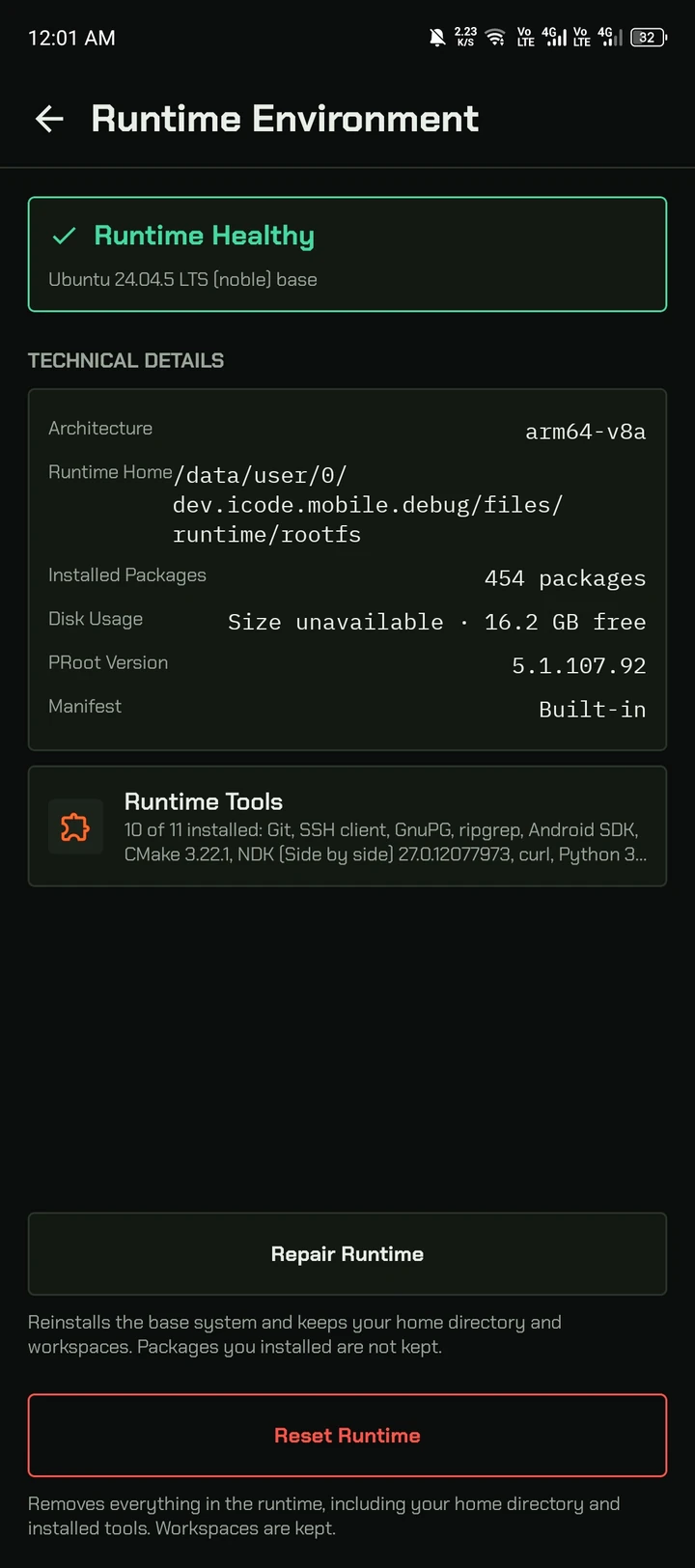
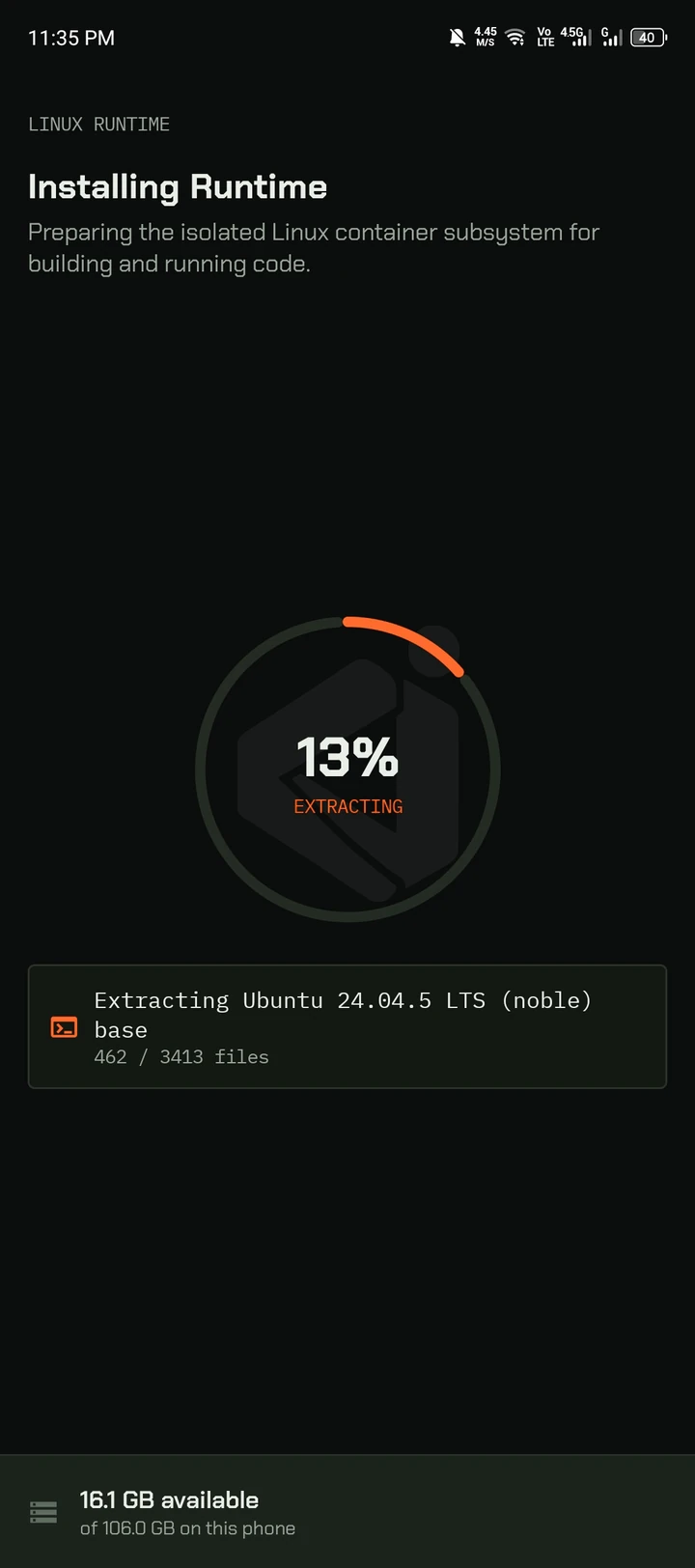
On first run iCode installs an isolated Ubuntu 24.04 ARM64 runtime with Git, SSH and ripgrep — or pick your own tools: Python, build tools, the Android SDK. After that, it works offline.
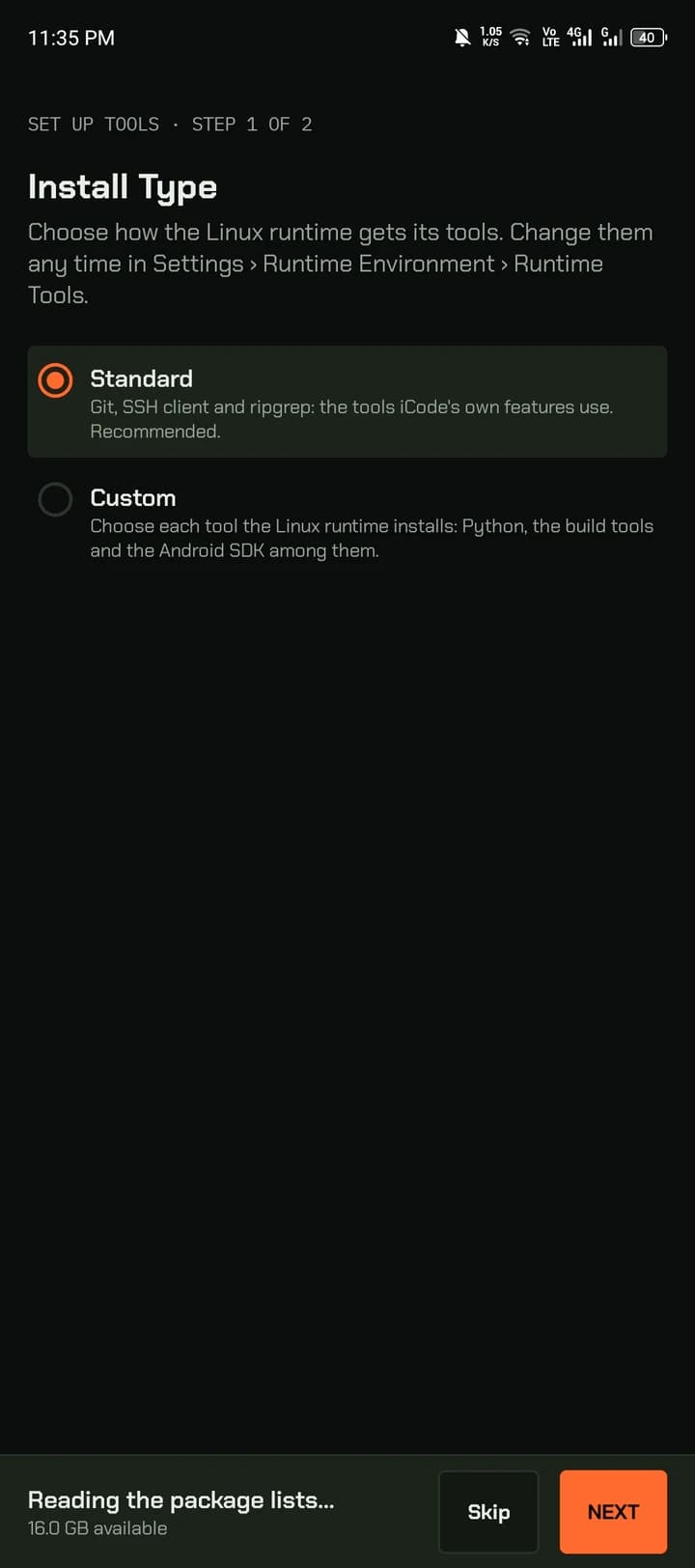
- Standard or custom tool install
- Health check, repair and reset
- Files stay on the phone
Settings
Tuned the way you work
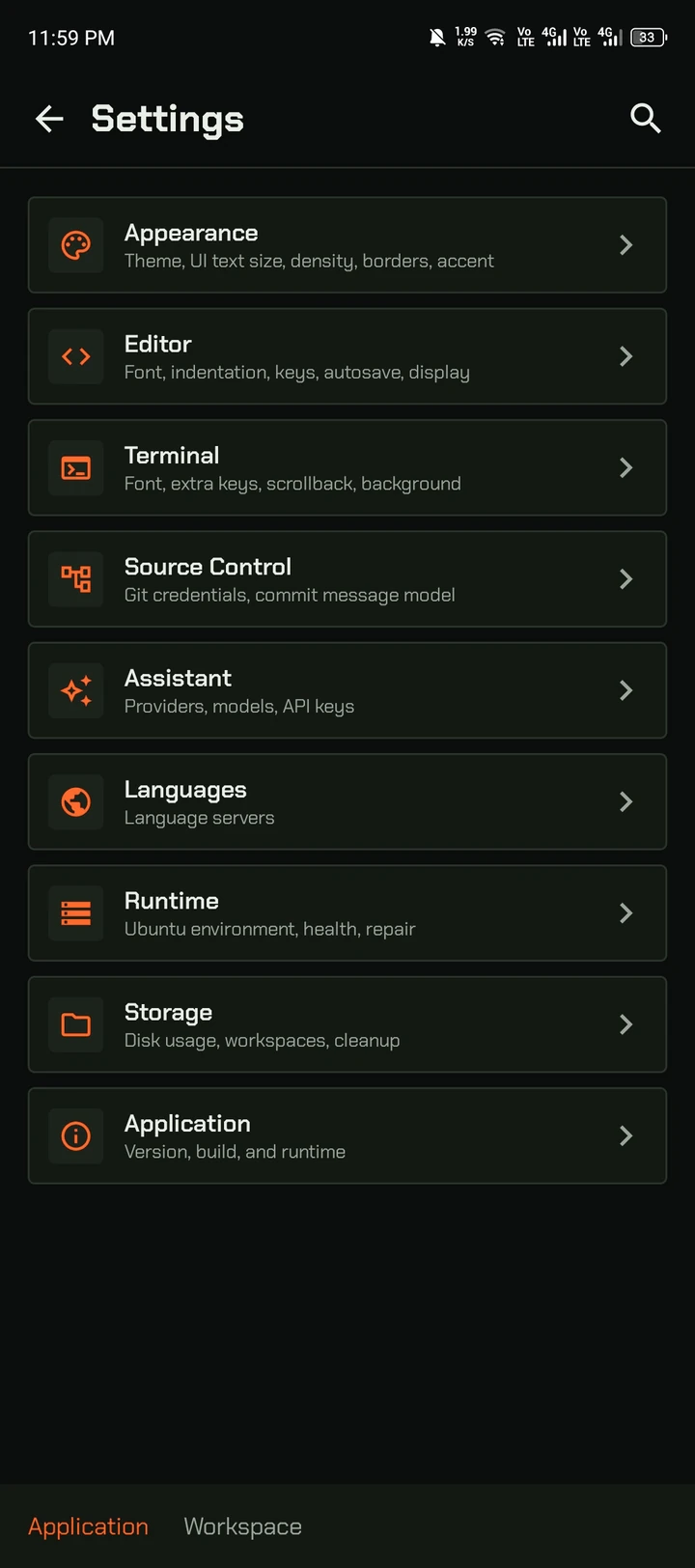
Appearance, editor, terminal, source control, assistant, languages, runtime and storage — each in its own page, searchable. Updates, release notes and bug reports live in About.
- Dark, light and AMOLED themes
- Extra keys row and terminal options
- Check for updates in About
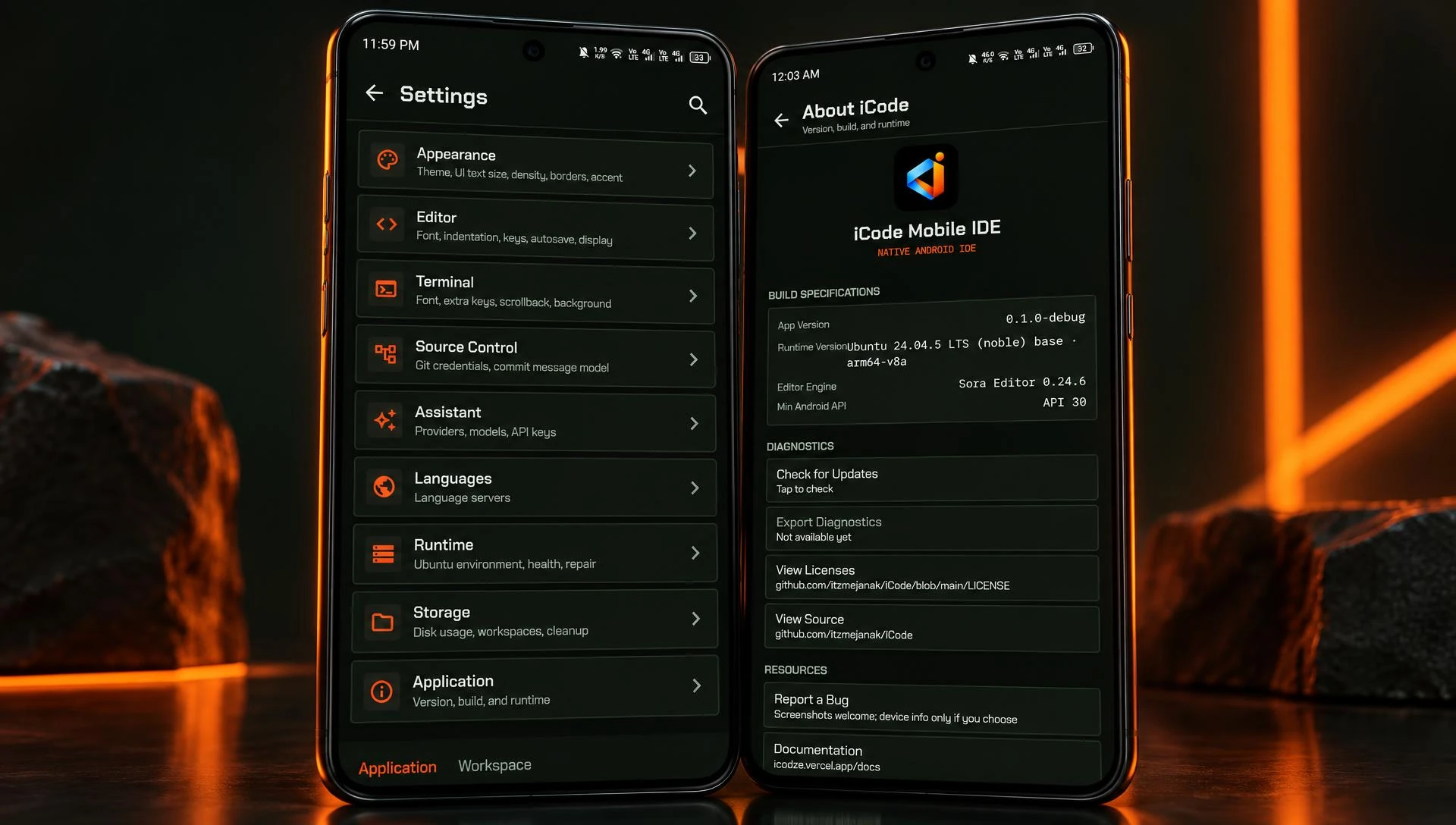

Code anywhere
The idea arrives. Your laptop doesn't.
Ask the agent, review the change, push the commit — from the café, the train or the couch.
Inside the app
Real screens from the app. No mockups.
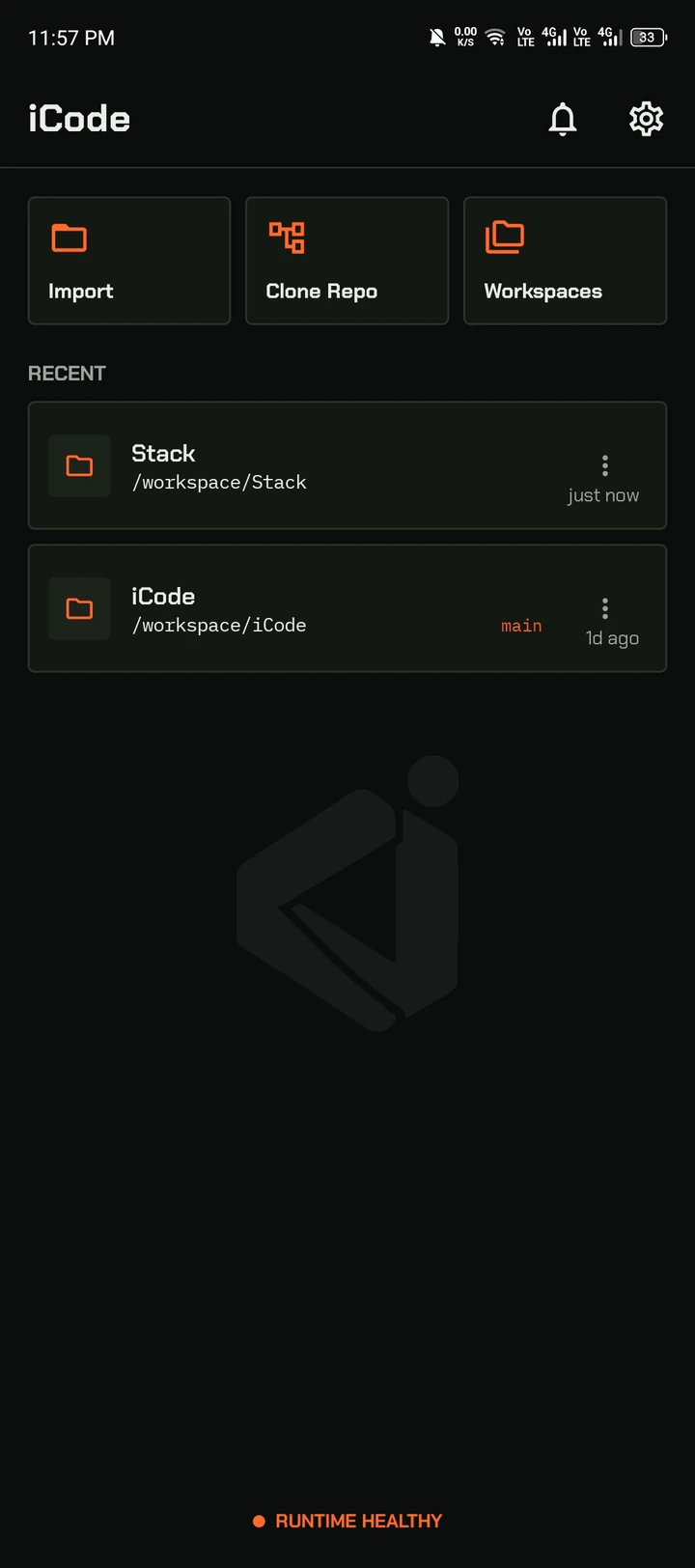
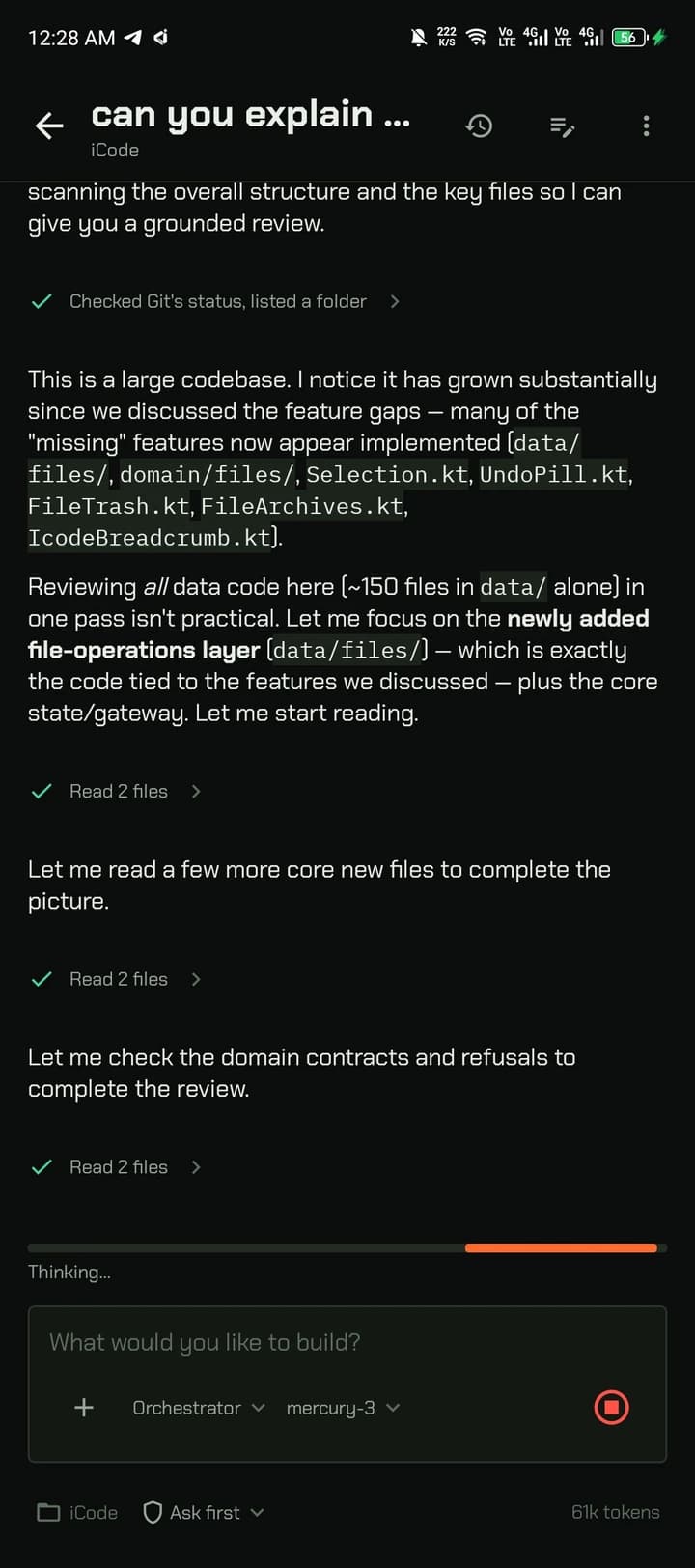
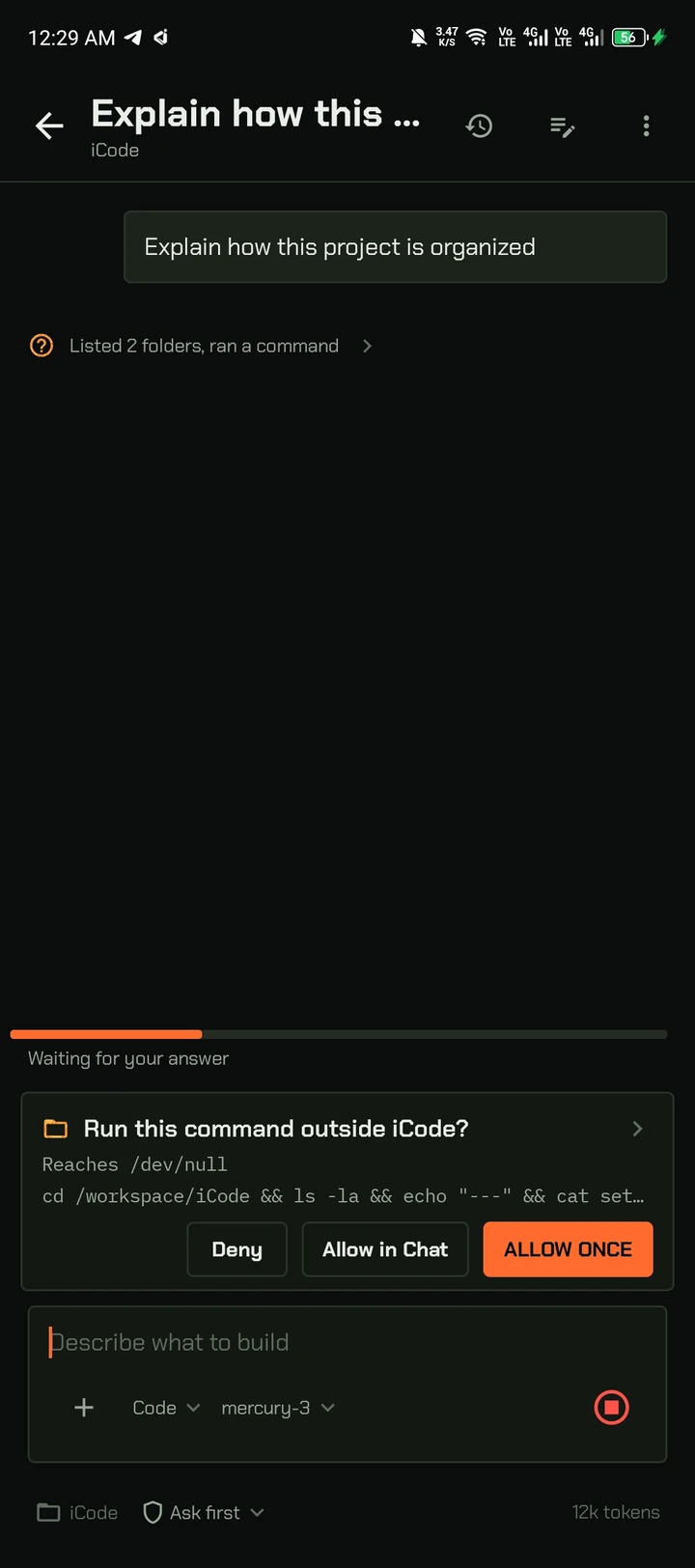
Powerful, and still yours
Private by design
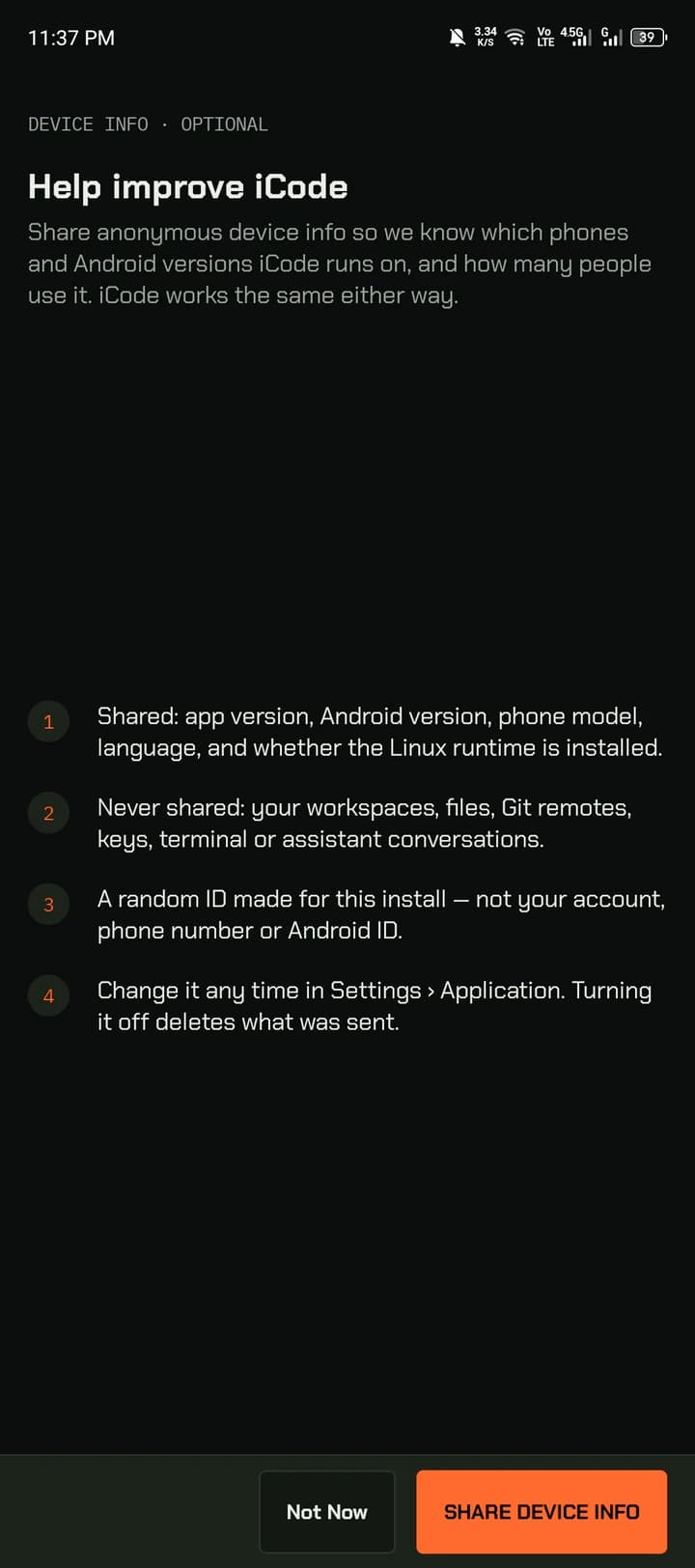
No account. Your code, keys and chats stay on the phone. Anonymous device info is opt-in and can be withdrawn anytime.
Real Linux, real tools
An isolated Ubuntu 24.04 ARM64 runtime — apt, bash, Git and the agents you choose. Works offline once it's set up.
Your AI, not ours
Bring your own provider or run Ollama locally. iCode never routes your prompts through our servers.
Getting started
From download to first commit
- 01
Install the APK
Download it from this page and check the SHA-256 before installing.
- 02
Choose your tools
Standard installs Git, SSH and ripgrep. Custom lets you add Python, build tools and more.
- 03
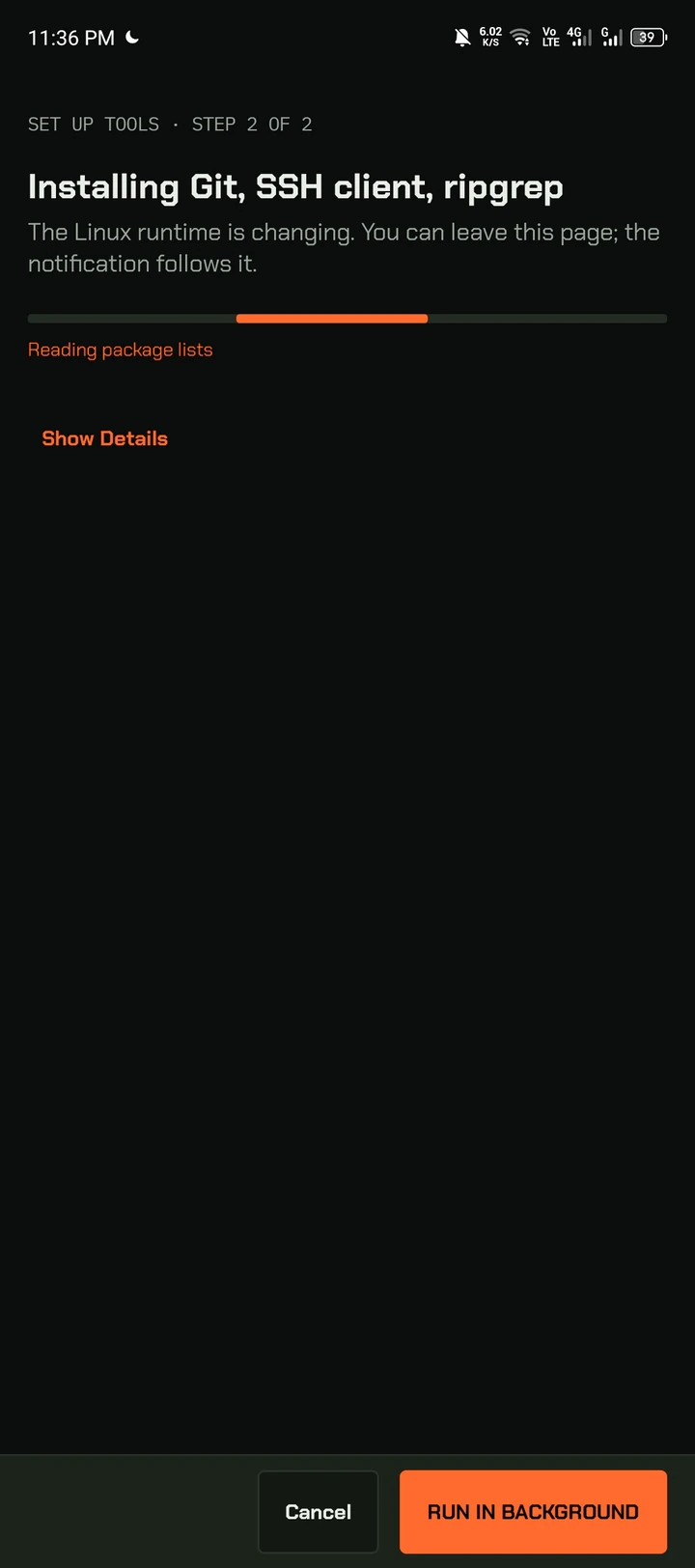
Let it set up
Installs run in the background with a notification — you can leave the screen.
- 04
Your call on data
Anonymous device info is opt-in. Say Not Now and iCode works the same.
Questions
What is an AI agent in iCode?
An assistant that can read your files, run tools and make changes to reach a goal. In Orchestrator mode it plans, implements and verifies step by step. It asks before running anything outside iCode.
Which models can I use?
Any provider you add: OpenAI, Anthropic, Google Gemini, OpenRouter, any OpenAI-compatible server, or Ollama on the phone. You can switch model per chat.
Does my code leave my phone?
Only what the assistant reads is sent to the provider of the model you picked. Nothing goes through iCode's servers. Keys are encrypted on the device.
Can I run Claude Code or opencode?
Yes. The terminal is real bash on Ubuntu, so CLI agents install and run like they would on a Linux machine.
Which phones does iCode run on?
ARM64 Android phones. The exact minimum Android version is shown next to each download.
What data does iCode collect?
Nothing by default. If you opt in, it shares app version, Android version, phone model, language and whether the runtime is installed. Never files, code, Git remotes, keys or chats.
How do I report a bug?
In the app: Settings › About iCode › Report a Bug. On the web: the Report a bug page.

Your AI dev studio,
in your pocket.
ARM64 Android only. Verify the checksum before installing.
- Version
- 0.1.0 (1)
- Requires
- Android 11 (API 30) or newer · arm64-v8a
- Size
- 2.0 KB
- Published
- Nov 1, 2026
- SHA-256
- c624ef9b8dd2b0522fdac3b537733cfeb959e4a113f1b99510b4e5a2b8f3cb6e